# Customising your HUD
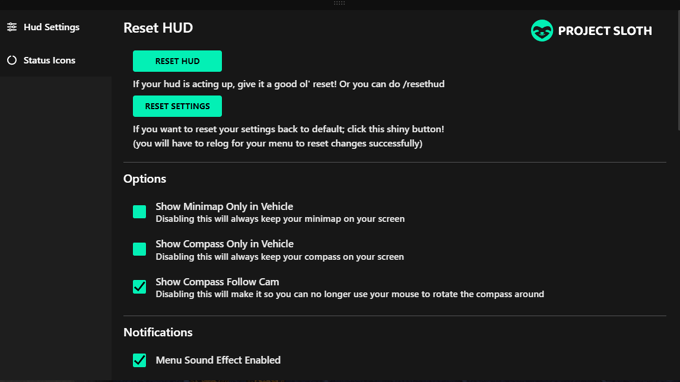
in NuLife RP, you have the freedom to personalize your gaming experience further by customizing your HUD. There are several aspects you can modify, such as the shape of your map (circle or rectangle), enabling your compass with street names, and other exciting options.
Accessing your HUD menu is straightforward. Just press the **'I'** key, and the HUD menu will appear, providing you with a user-friendly interface to make your desired changes. Each option comes with a helpful explanation, making the customization process a breeze.
If you encounter any difficulties while tweaking your HUD or have any questions, don't hesitate to seek assistance in the **#server-support** channel on our Discord. The community and support team are there to help you have the best experience possible as you immerse yourself in the dynamic world of NuLife RP. Happy customizing!\
---
# Agent Instructions: Querying This Documentation
If you need additional information that is not directly available in this page, you can query the documentation dynamically by asking a question.
Perform an HTTP GET request on the current page URL with the `ask` query parameter:
```
GET https://nulife-rp.gitbook.io/guide/overview/customising-your-hud.md?ask=
```
The question should be specific, self-contained, and written in natural language.
The response will contain a direct answer to the question and relevant excerpts and sources from the documentation.
Use this mechanism when the answer is not explicitly present in the current page, you need clarification or additional context, or you want to retrieve related documentation sections.